Merge cells
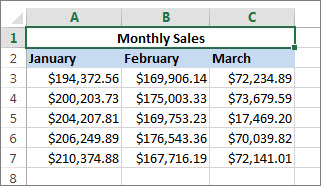
- Select two or more adjacent cells you want to merge.Important: Make sure the data you want to end up in the merged cell is in the upper-left cell. All data in the other merged cells will be deleted. To keep any data from the other cells, copy it to another spot in the worksheet before you merge.
- Click Home > Merge & Center.
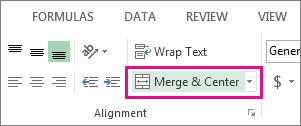
If Merge and Center is dimmed, make sure you’re not editing a cell and the cells you want to merge aren’t inside a table.
Tip: To merge cells without centering, click the arrow next to Merge & Center, and then click Merge Across or Merge Cells.
If you change your mind, you can always split the cells you merged.

No comments:
Post a Comment